
AI Design OS
A local-first design token platform for teams shipping B2B SaaS. It generates, manages, and syncs color and type tokens with Figma, so designers, developers, and AI agents build from one source of truth.
Overview
AI Design OS is a design token platform I designed and built for teams that ship B2B SaaS and enterprise software. It generates color and type scales from a few inputs, keeps them in collections per product and context, syncs them two ways with Figma, and exports them in the formats engineering already uses. It runs as a local-first macOS app with the workspace stored on the team’s own machine, and as a web client built from the same core. It is currently in private beta.
Every screen in this case study shows Meridian Labs, a fictional enterprise SaaS company that ships inside the app as a sandbox: four product workspaces (a platform, a mobile app, a billing product, and the marketing site), full color and typography systems, team members with roles, and connected Figma files. All of its names, emails, and files are invented, which is exactly what makes it useful for showing the product as a team would actually use it.
Why teams shipping B2B SaaS need one token layer
Most product teams end up maintaining three versions of their design system at once: the one in Figma, the one in code, and the one in the docs. Each drifts a little every sprint, and handoff turns into a translation exercise where a designer’s blue and an engineer’s blue are no longer the same value.
AI Design OS is built to collapse that into one. It is the shared token layer the whole team reads from: designers and developers see the same colors, type, spacing, and radius tokens, each product gets its own workspace, and the system stays consistent as the product grows. For enterprise teams running several products on one brand, that consistency is the difference between a design system and a style guide nobody trusts.
Scales that stay consistent
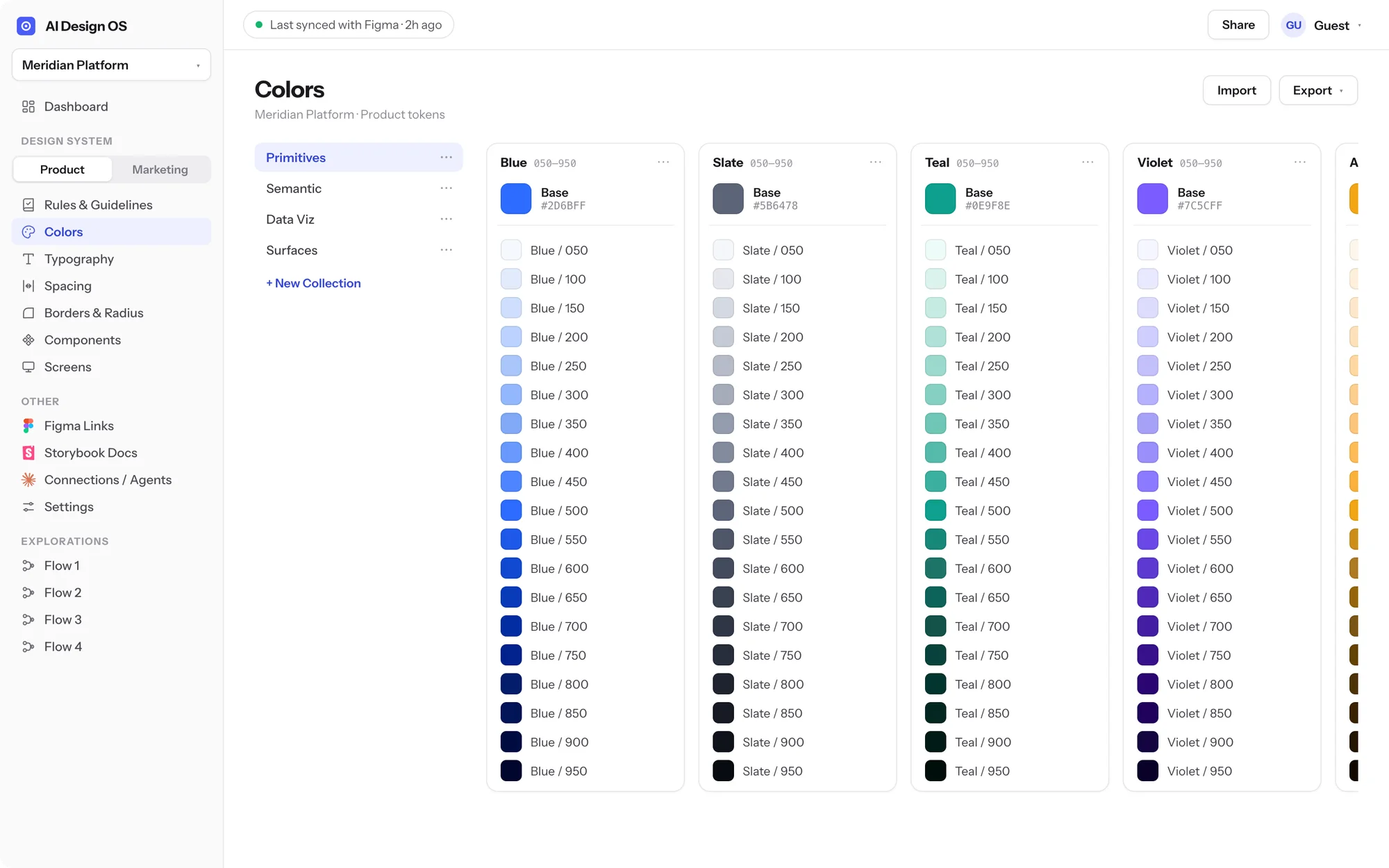
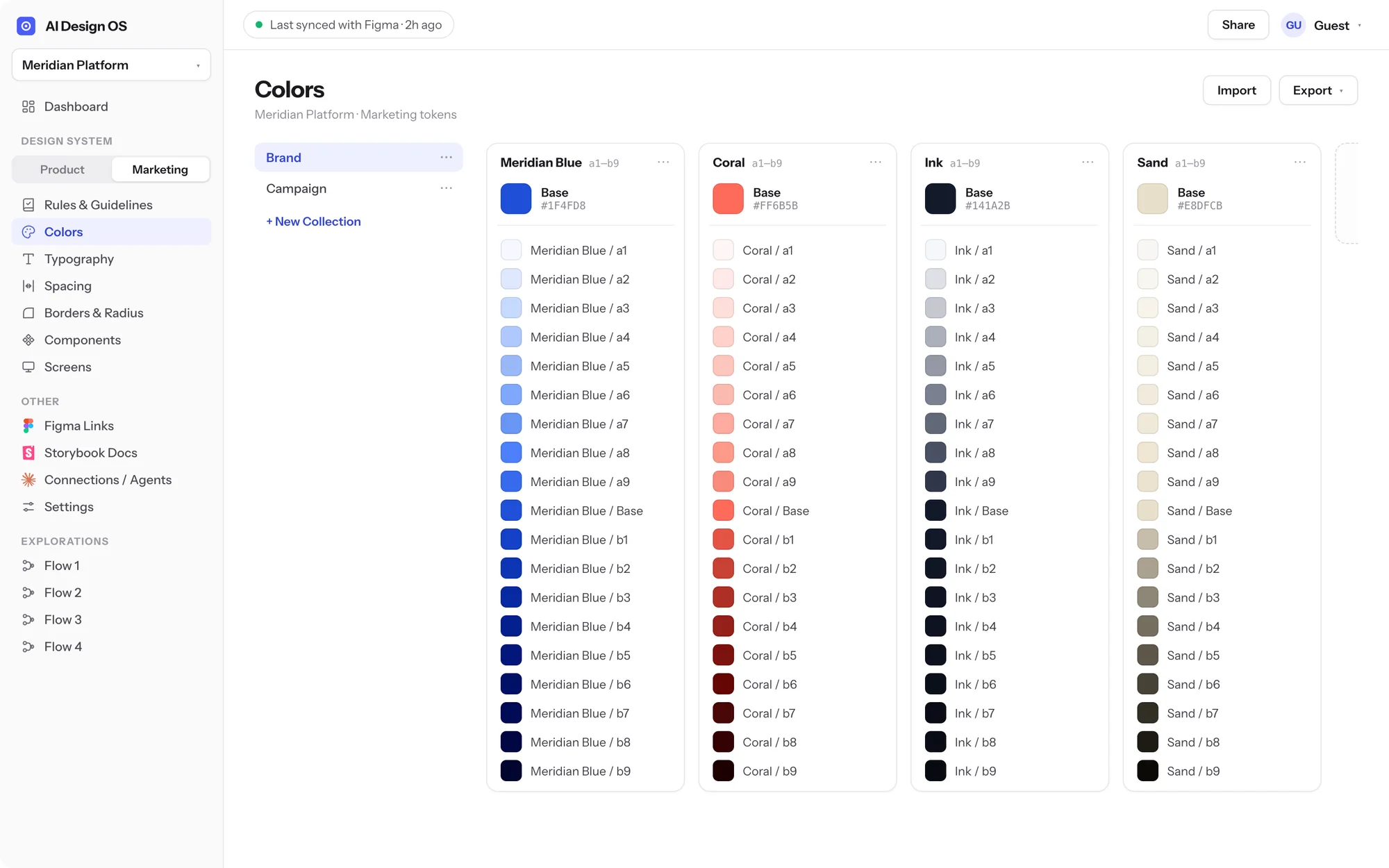
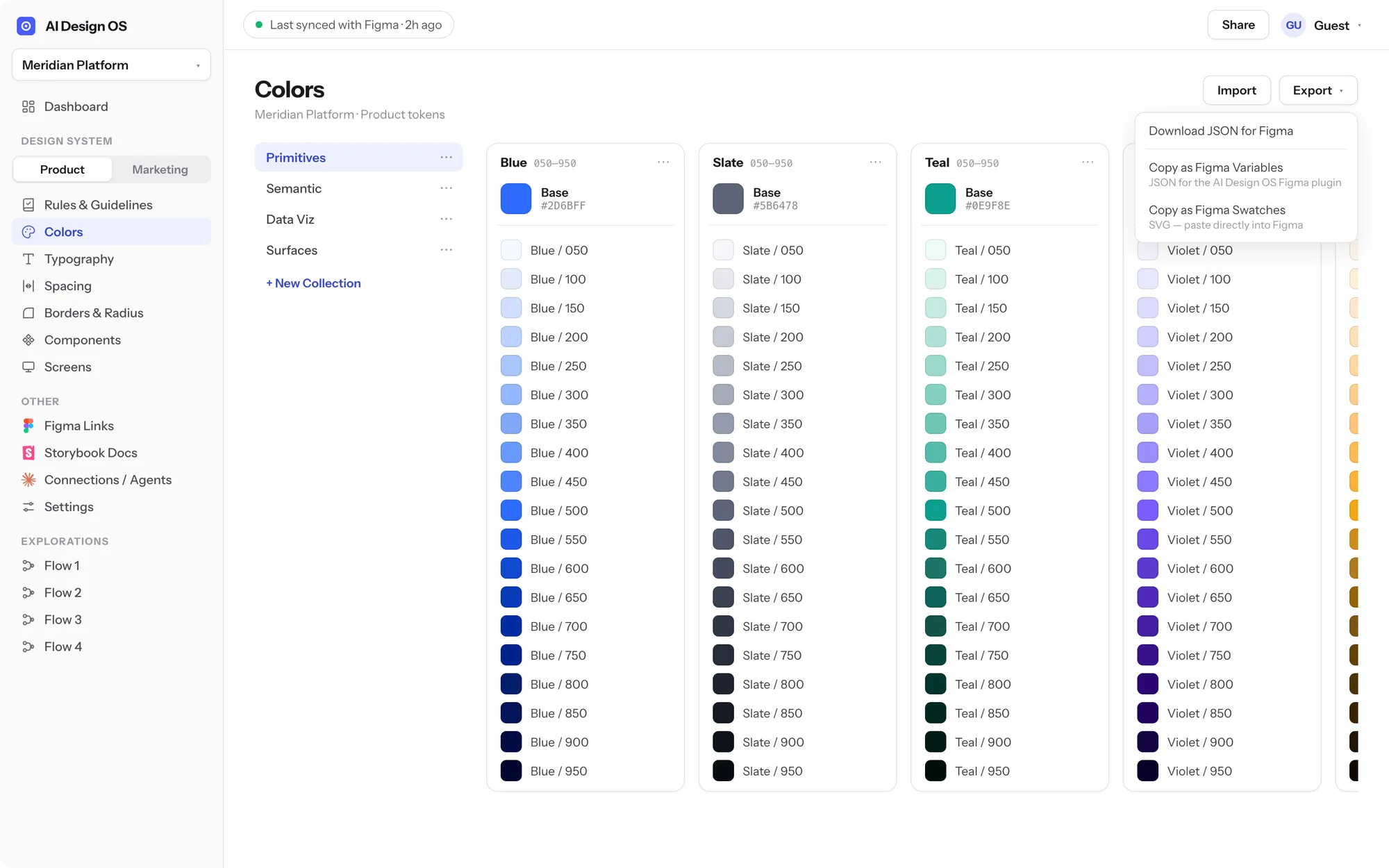
Color starts from a single base. From one hex value, AI Design OS generates a perceptually even nineteen-step scale in OKLCH, with gamut clipping so every step is a real, displayable color. Each collection chooses its naming convention, numeric steps like Blue 050 to 900 or an alpha ladder, and the team never types a shade by hand. Change the base and every dependent token updates with it.
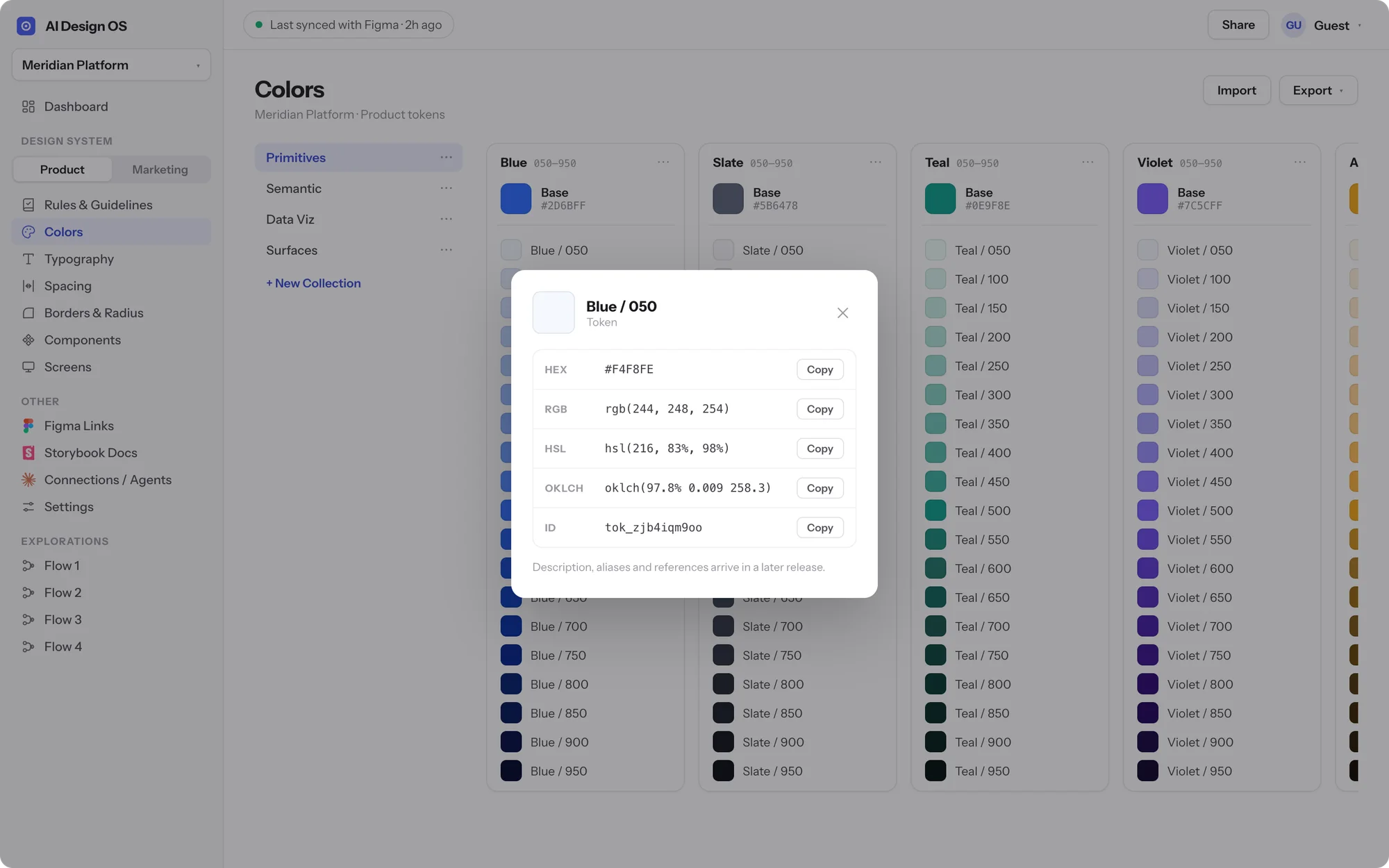
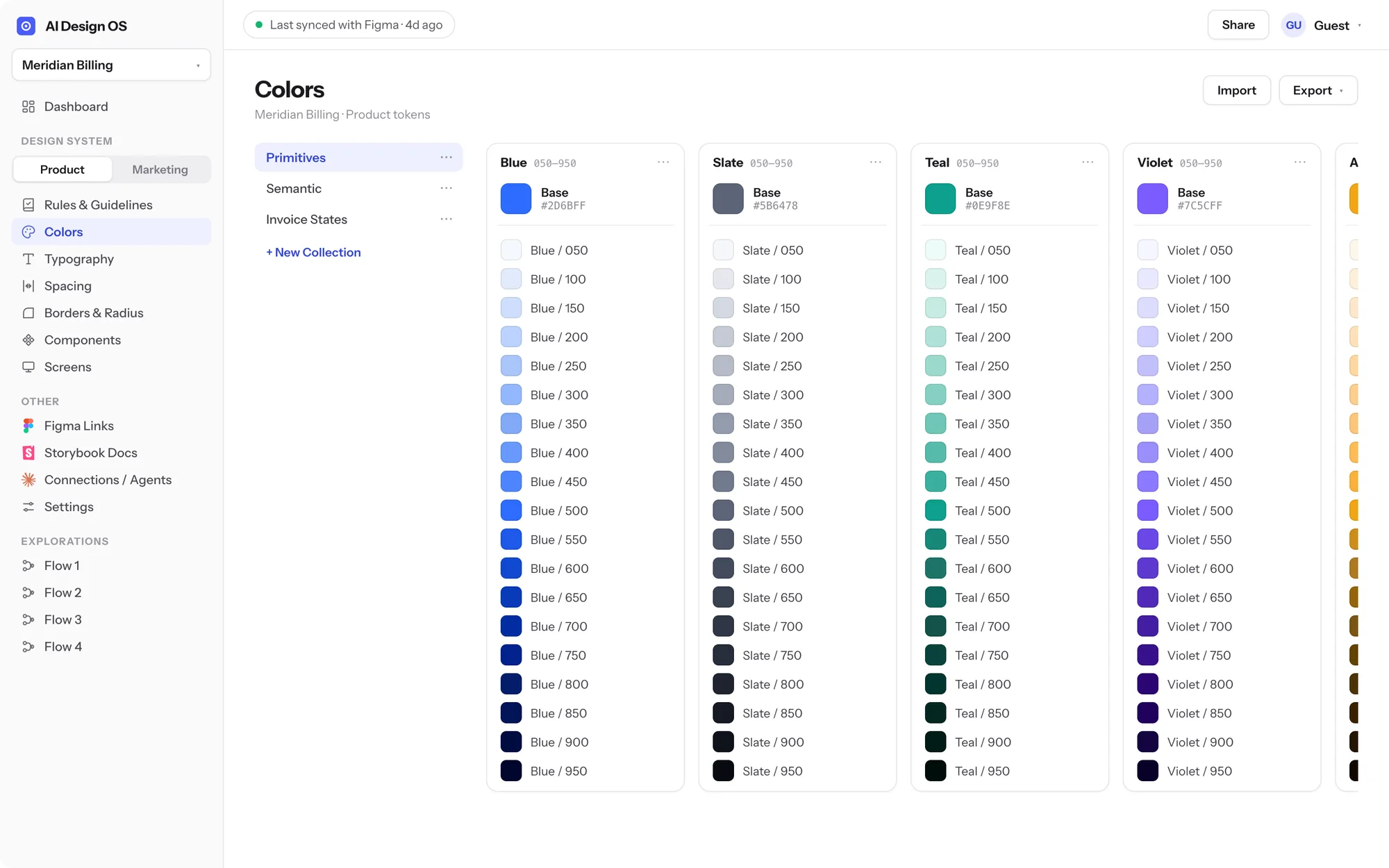
Tokens live in collections built for the job: Primitives and Semantic for the product, Data Viz series for charts, Surfaces for canvas and overlays, and product-specific sets such as a billing team’s Invoice States. Every workspace keeps separate Product and Marketing contexts so app tokens and campaign tokens never mix. A token inspector exposes each value as HEX, RGB, HSL, and OKLCH with one-click copy, which is the small detail that stops engineers from retyping numbers from a screenshot.
Typography as a system, not a style sheet
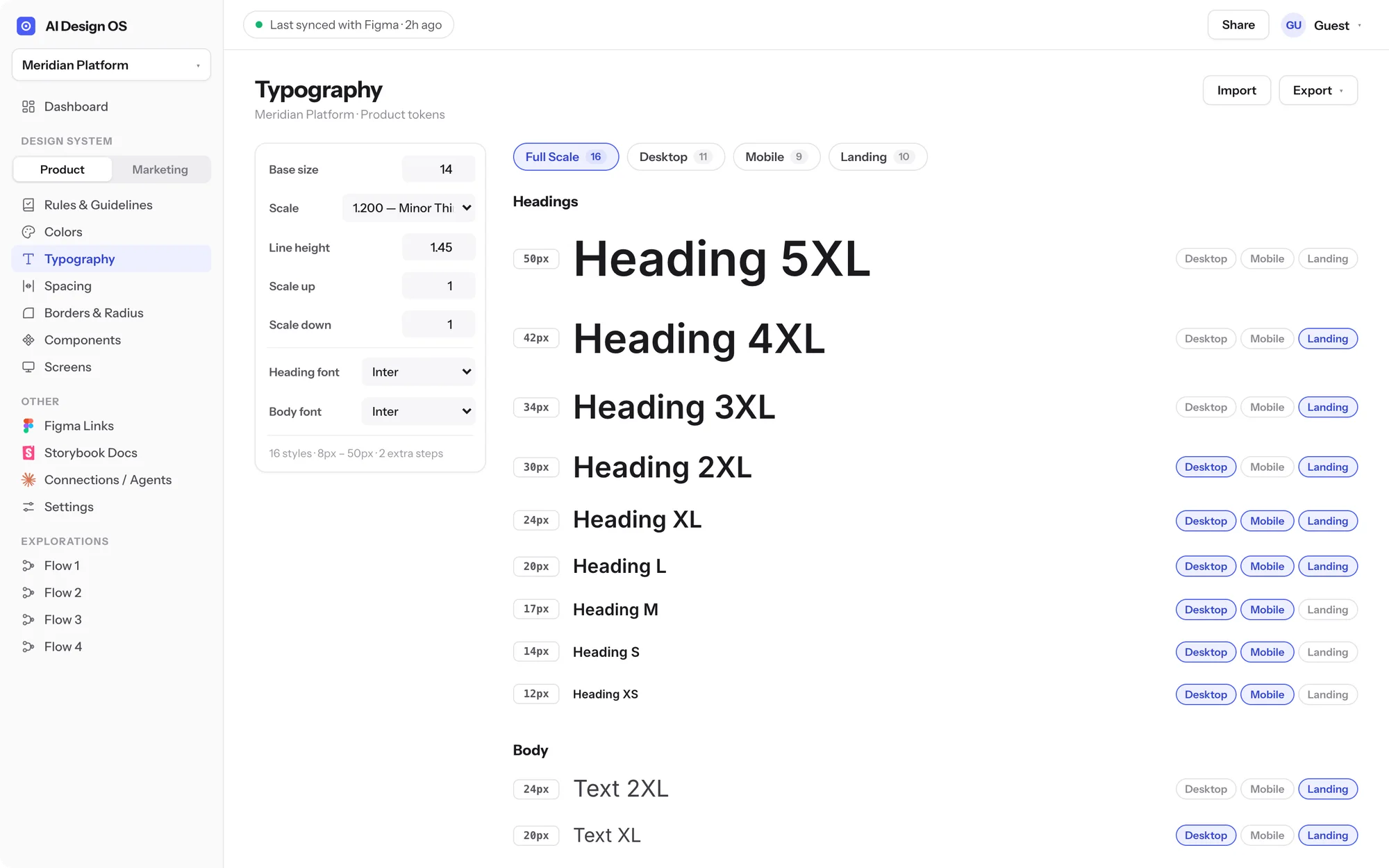
Type follows the same idea. The team sets a base size, a ratio, and a line height, and the full scale is generated from those inputs. Steps are then assigned to Desktop, Mobile, and Landing contexts with positional names, so a heading token means the same thing on every surface and the scale can be tuned in one place.
Because every context owns its settings, one company can run very different systems without conflict: a dense product scale on a 14px base and a 1.2 ratio for the platform, and an editorial serif scale on an 18px base and a 1.414 ratio for the marketing site.
Built for the way teams actually ship
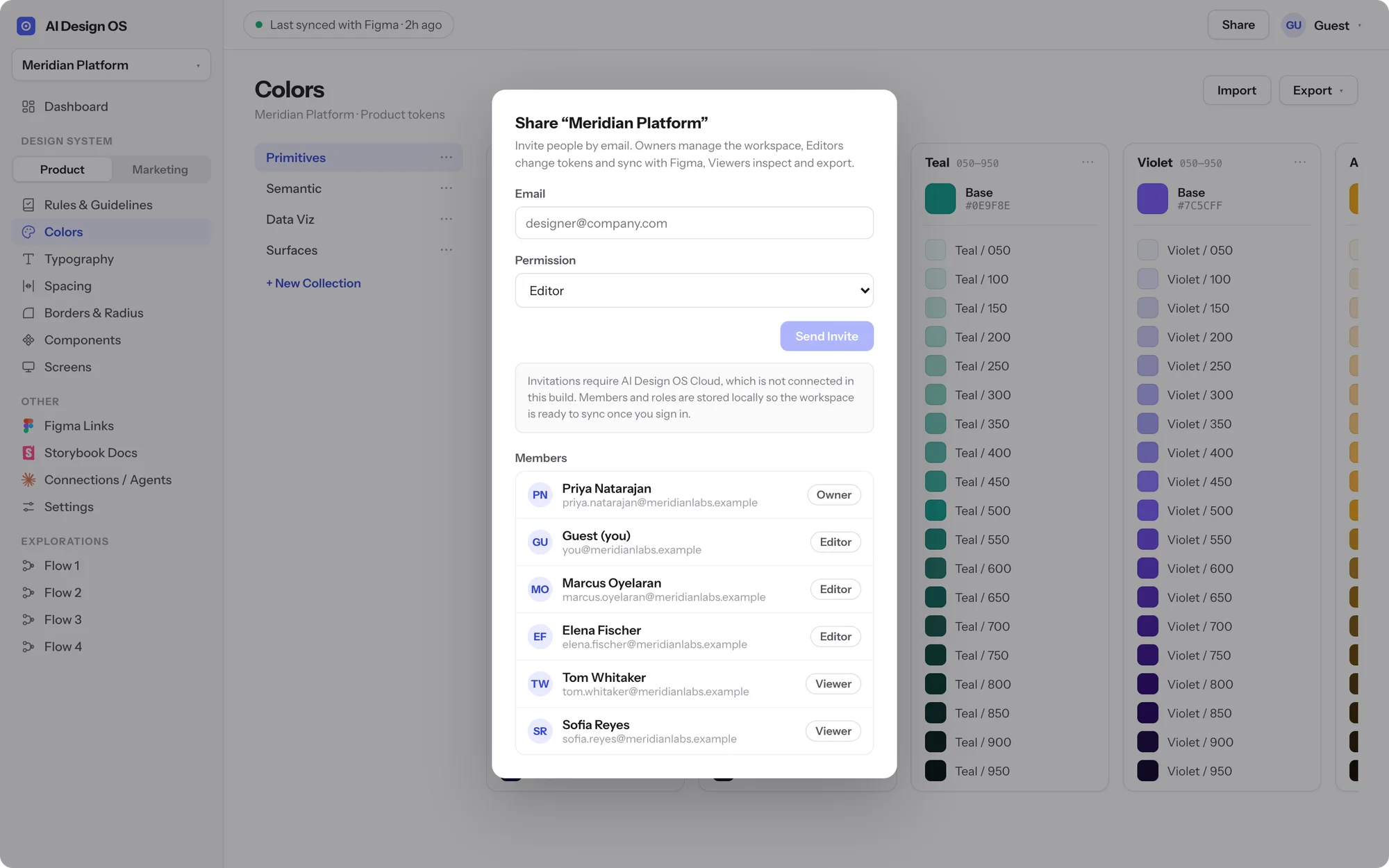
Each workspace maps to one Figma file, and the top bar always shows when it last synced. Variables and text styles push to Figma, changes pull back, and the team sees exactly what moved before it lands. Every workspace carries member roles of owner, editor, and viewer, so a product lead can review without being able to rewrite the palette; invitations run through the hosted service that accompanies the desktop app.
When tokens need to leave the tool, they leave in the formats engineering already uses: CSS variables, Figma variables JSON, text styles JSON, SVG swatches, and plain JSON, with JSON import for bringing an existing system in. No exports to maintain by hand, no stale PDFs.
AI-native from day one
The reason agents are in the product name is that they are the third consumer of a design system now. AI Design OS is being built to expose the token layer to Claude Code, Codex, and other agents through an MCP server and an open API, so a prototype generated by an agent is already on-system instead of inventing its own values. Figma is available in the beta today; the agent, code, and docs integrations follow.
Local-first on the desktop, shared on the web
The desktop app is built with Tauri and Rust and keeps the whole workspace in a local SQLite store, with native file dialogs, clipboard, and window state. A web client ships from the same shared Svelte core. The two are kept honest by a ports architecture: the interface never talks to SQLite or the browser directly, it talks to persistence, platform, and auth ports, and each client plugs in its own adapter. That is what lets a hosted API and workspace sync arrive later without rewriting the product.
 Available
Hey! Shipping a design system across more than one product or team?
Tell me where Figma and code disagree today. I’ll design the token layer, and the tooling around it, that keeps them in sync.